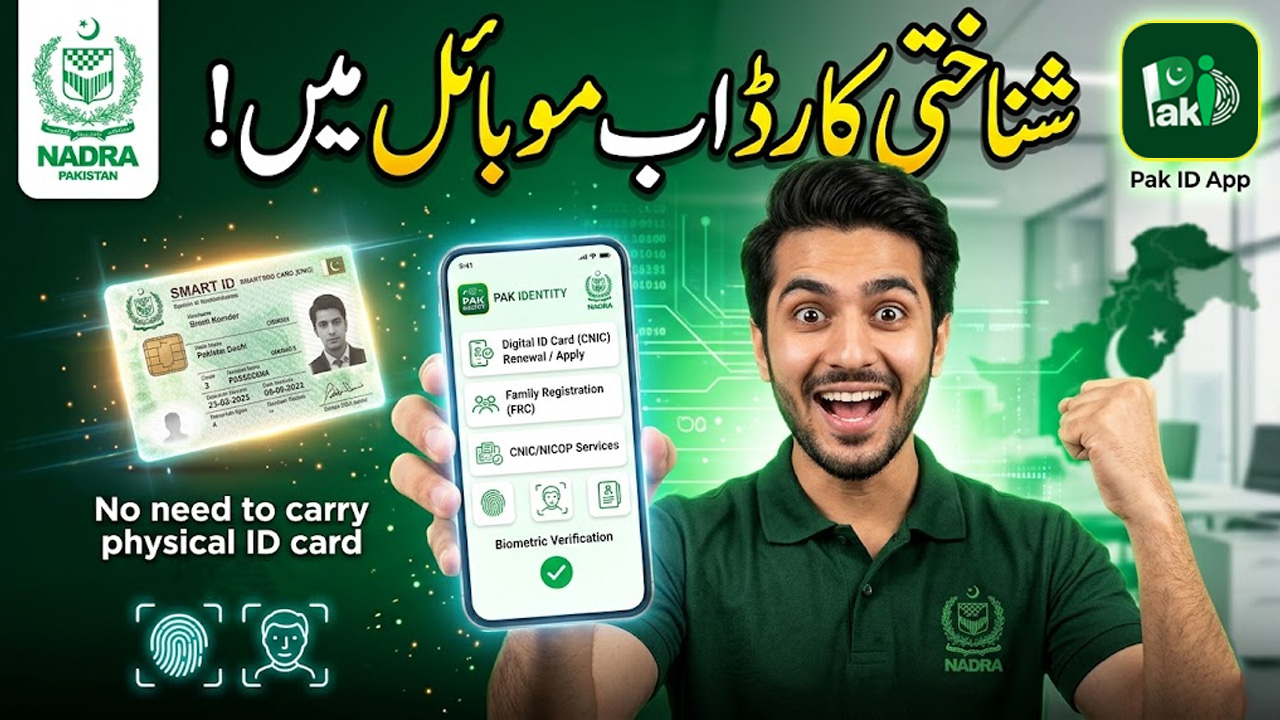
Pak ID App Complete Guide: CNIC, NICOP Application, Tracking & Features (2026)
Introduction
The digital identity system in Pakistan has become much easier with the introduction of mobile-based services. One of the most important innovations is the Pak ID application, launched by the National Database and Registration Authority.
The system is developed and managed by National Database and Registration Authority and accessed through the Pak ID.
This app allows citizens to apply for CNIC, NICOP, renew identity cards, track applications, and manage personal identity records without visiting physical offices.
What is Pak ID App?
Pak ID is an official digital platform where users can apply for identity documents online.
Through this app, you can:
- Apply for CNIC (Computerized National Identity Card)
- Apply for NICOP (National Identity Card for Overseas Pakistanis)
- Renew expired CNIC
- Update personal information
- Track application status
- Upload documents and biometrics
It reduces the need to visit NADRA offices physically.
Key Features of Pak ID App
1. Online CNIC Application
Users can apply for a new CNIC directly from mobile.
2. NICOP Application for Overseas Pakistanis
People living abroad can apply for NICOP without visiting Pakistan.
3. CNIC Renewal System
Expired or near-expiry CNICs can be renewed easily.
4. Data Modification
You can update:
- Name corrections
- Address changes
- Family details
5. Application Tracking
Real-time tracking of your application status.
6. Digital Document Upload
Upload required documents directly in the app.
How to Use Pak ID App (Step-by-Step Guide)
Step 1: Install App
Download the Pak ID from Play Store or App Store.
Step 2: Create Account
Register using:
- Email address
- Phone number
- Personal details
Step 3: Start Application
Select the service you need:
- New CNIC
- Renewal
- NICOP
- Modification
Step 4: Fill Personal Information
Enter:
- Name
- Date of birth
- Address
- Family details
Step 5: Upload Documents
Upload required documents such as:
- Birth certificate
- Old CNIC (if applicable)
- Supporting documents
Step 6: Biometric Verification
Complete biometric verification process through app instructions.
Step 7: Payment
Pay processing fee online.
Step 8: Submit Application
After submission, your application goes into processing.
How to Track CNIC/NICOP Application
Tracking is simple:
- Open Pak ID app
- Go to “Track Application”
- Enter tracking ID
- Check real-time status
Statuses may include:
- Submitted
- Under review
- Approved
- Dispatched
Types of Cards You Can Apply For
CNIC
For Pakistani citizens living in Pakistan.
NICOP
For overseas Pakistanis.
Smart CNIC
Advanced version with chip-based identity data.
All services are managed through National Database and Registration Authority.
Benefits of Pak ID App
✔ No need to visit NADRA offices
✔ Easy online application process
✔ Time-saving digital system
✔ Secure identity verification
✔ Real-time tracking system
✔ Available for overseas Pakistanis
Common Issues & Solutions
1. App Not Working
- Update app
- Check internet connection
2. Biometric Failure
- Retry in better lighting
- Follow instructions carefully
3. Payment Issues
- Use supported payment methods
- Try again after some time
4. Application Delay
- Check status regularly in app
Safety & Important Tips
- Always use official Pak ID
- Do not share personal data with unknown sources
- Upload clear documents
- Double-check information before submission
FAQs
1. Is Pak ID app official?
Yes, it is an official app developed by National Database and Registration Authority.
2. Can I apply for CNIC through Pak ID app?
Yes, you can apply for new CNIC, renewal, and updates.
3. Is NICOP available on Pak ID app?
Yes, overseas Pakistanis can apply for NICOP.
4. How can I track my application?
You can track it using tracking ID inside the app.
5. Is Pak ID app safe?
Yes, it is secure and officially managed by NADRA.
Conclusion
Pak ID app is a major digital step by Pakistan’s identity authority, making identity management easier and faster. Through the platform developed by National Database and Registration Authority and available as Pak ID, users can apply for CNIC, NICOP, renew documents, and track everything from their mobile phone.
This system saves time, reduces office visits, and makes identity services more accessible for all citizens of Pakistan and overseas users.